
For universities & government agencies
The next-generation LMS for institutions.
Catalogue to certificate in one platform — with live classes that run in the browser and AI you can keep on your own servers. Multi-tenant, standards-native, accessible by default.
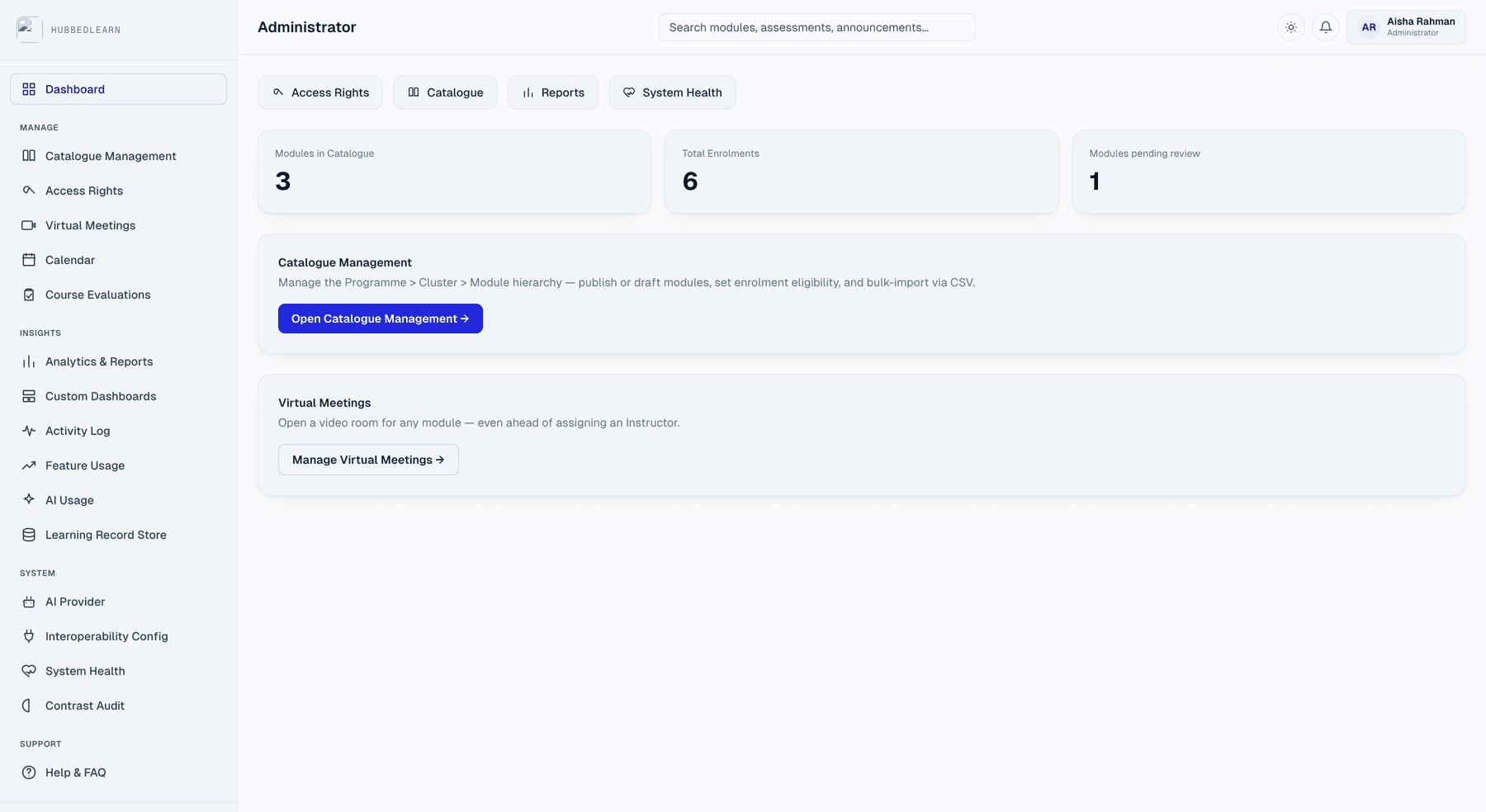
Five vendor contracts
One catalogue-to-certificate platform
Enrolment, content, assessment, live classes and analytics — one multi-tenant system, not five procurement cycles.
A separate video licence
Live classes built in
Tutorials run in the browser — video, breakout groups, whiteboard and polls — with no conferencing platform to license, administer or renew.
Student work on a vendor's AI
AI that runs where you decide
Keep every prompt on your own hardware, or connect Claude or ChatGPT. Your institution sets the answer, and changes it whenever it likes.
One platform
Everything a course needs, catalogue to certificate.
Modular by design — start with what you need, all on one data model instead of stitched together across vendors. One enrolment, one gradebook, one audit trail.
Catalogue & enrolment
Public unauthenticated browse with search and filters, a Programme → Cluster → Module hierarchy, self-enrol within defined windows with caps and waitlists, and bulk CSV catalogue management.
Content authoring
A WYSIWYG editor, nested folder structure, drag-and-drop lesson sequencing, rule-based conditional release, and a built-in accessibility checker for every page an instructor writes.
Assessment & grading
A shared question bank, reusable rubrics, auto-marking, proctoring controls, and a weighted gradebook with bulk export/import for registrar-grade record-keeping.
Live classes
Video, breakout groups, a shared whiteboard and live polls — running peer-to-peer in the browser. Hosts can drop into any group, record the session, and attendance is logged as people come and go.
Communication & groups
Scheduled announcements, rule-based nudges for inactivity and non-submission, moderated and gradeable discussion forums, surveys, direct messages and parameterised group sets.
Governance & analytics
Entra ID single sign-on, directory-restricted tenancy, role-based access and a full audit log — alongside progress dashboards, a drag-and-drop dataset builder and scheduled exports.
See it in action
The real screens your admins, instructors and learners use.
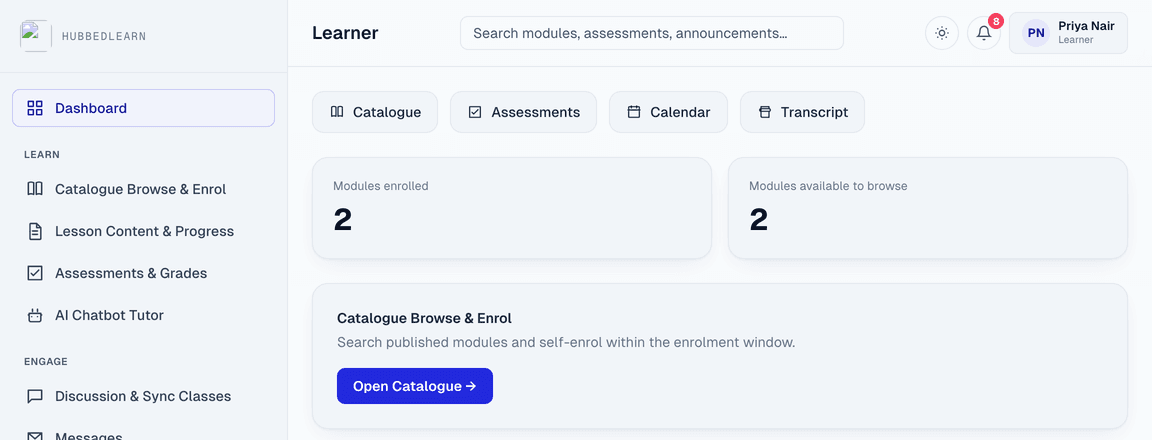
Learner
Progress that feels earned
Enrolled modules, one click back to the catalogue, and badges that make completion visible.
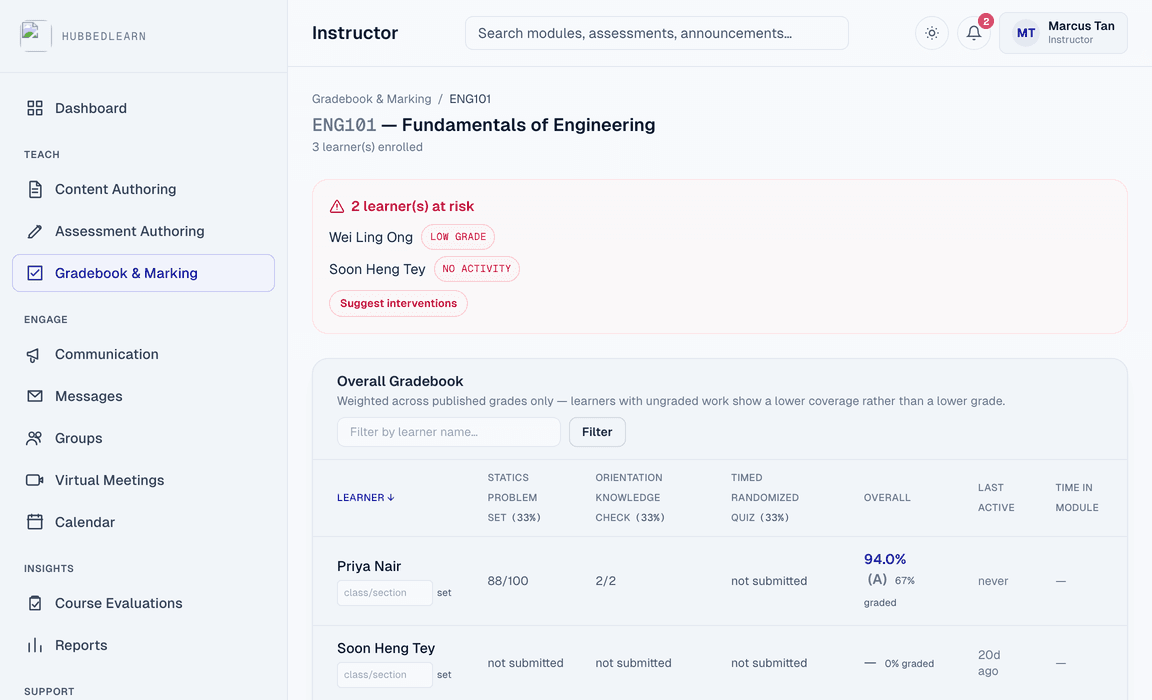
Instructor
At-risk learners, flagged automatically
A weighted gradebook that flags who's falling behind and drafts an intervention — reviewed before anything sends.
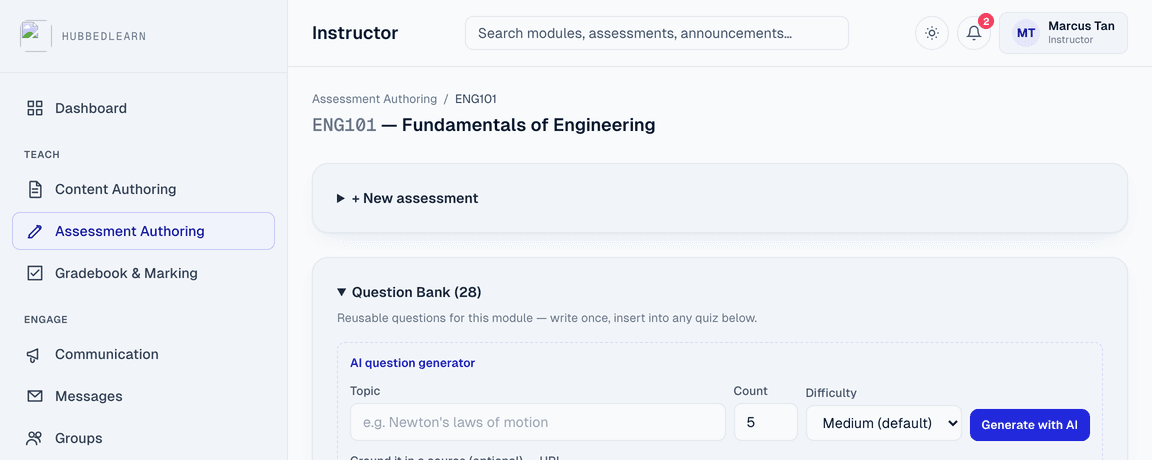
Instructor
A question bank that writes a first draft
AI-generated questions sit alongside hand-written ones — badged, editable, never published without review.
AI assist
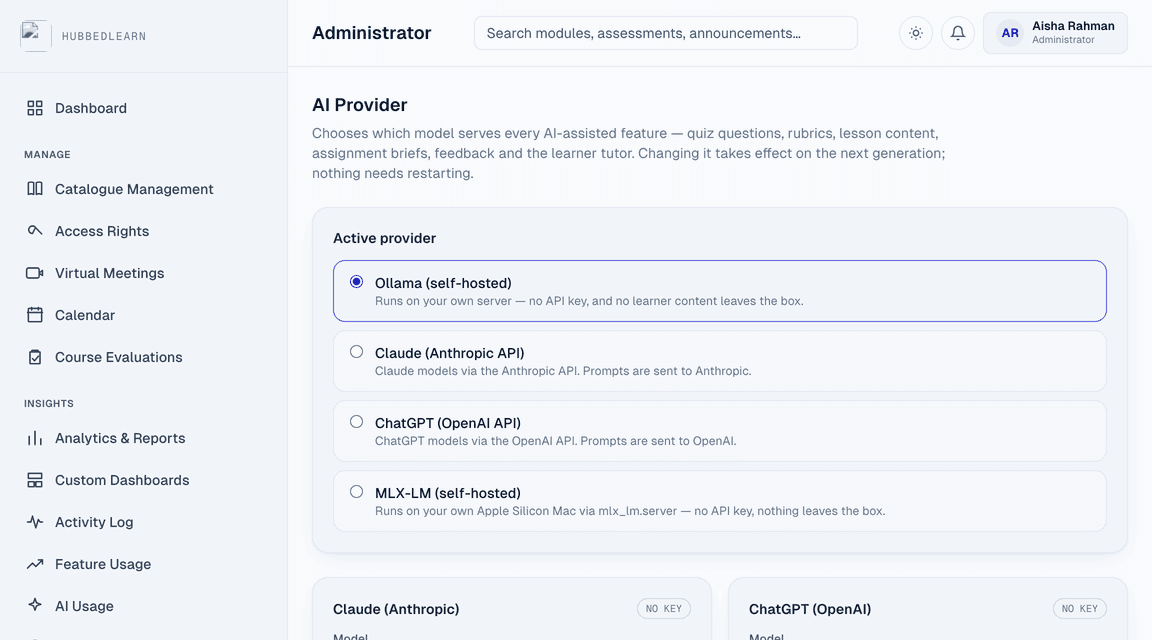
AI on your terms — and never unsupervised.
Your administrator chooses the model: run it on your own server so no prompt ever leaves the institution, or connect Claude or ChatGPT with your own API key. Switch whenever policy changes — it takes effect on the next generation, with no redeployment.
Whichever you pick, nothing an AI drafts reaches a learner on its own. Staff review and accept every item first, it stays visibly badged as AI-assisted, and every generation call is logged for whoever has to answer the academic-integrity question later.
- ✦Whole assignments — title, brief and matching rubric from one line of intent
- ✦Quiz questions — grounded in a source file, tuned by difficulty
- ✦Grading rubrics — generated from a task description
- ✦Lesson content — drafted, simplified, summarised or reformatted
- ✦Assignment feedback — a scored, written draft for the instructor to edit
- ✦Video submissions — feedback based on frames sampled from the video itself
- ✦A chatbot tutor learners can ask directly
- ✦At-risk learner insights, synthesised for instructors
Built for procurement
The standards your other systems already read.
Who it's for
One platform, built around what you're measured on.
Universities & colleges
Catalogue-to-certificate learning across every programme and cluster — self-enrol, waitlists, terms and sections, tutorials that run in the browser, and a gradebook your registrar can trust.
Measured on — Completion, and records your accreditation office can stand behind
Government & public-sector agencies
Multi-tenant by design, with the standards compliance, audit trail and accessibility baseline public services require — and the option to keep coursework and AI entirely on your own infrastructure.
Measured on — Compliance, accessibility, and auditability
FAQ
Frequently asked questions
Where does our data go when AI is used?+
That's your decision. Point HubbedLearn at a model running on your own server and no prompt ever leaves your infrastructure. Or supply an API key for Claude or ChatGPT, in which case prompts go to that provider and nowhere else. Keys are held server-side and are never sent back to the browser, and an administrator can change or remove the provider at any time.
Do we need a separate video conferencing licence?+
No. Live classes run on the browser's own video stack, so there's nothing extra to buy or administer. Audio and video travel directly between participants and never pass through our servers — we only relay the small messages that let two browsers find each other. It's designed for tutorials, seminars and small-group teaching rather than broadcasting a 300-seat lecture.
Is HubbedLearn LMS multi-tenant?+
Yes. Each institution or agency gets its own directory-restricted tenant — branding, catalogue and access rights — on shared infrastructure.
What learning standards does it support?+
LTI 1.3 with AGS grade passback, a SCORM 1.2 runtime, IMS QTI 2.1 import and export, an IMS Common Cartridge export, and xAPI/Caliper/cmi5 statement export for your learning record store. Nothing you build here is trapped here.
How does authentication work?+
Single sign-on through Microsoft Entra ID (OIDC), scoped to your institution's own directory — there's no separate HubbedLearn password for staff or learners to manage.
How is AI used, and can we see what it did?+
AI drafts assignments, quiz questions, rubrics, lesson content and feedback for staff to review. Nothing it generates reaches a learner until an instructor or admin explicitly accepts it, AI-generated items carry a visible badge wherever they appear, and every generation call is logged by feature, module and user.
Is it accessible?+
The interface is built against WCAG 2.2 AA — including a contrast auditor in the admin console — and content authors get an in-product accessibility checker for the material they write.
See it against your own catalogue.
Tell us about your institution — we'll walk it through against your own programmes, not a generic demo.